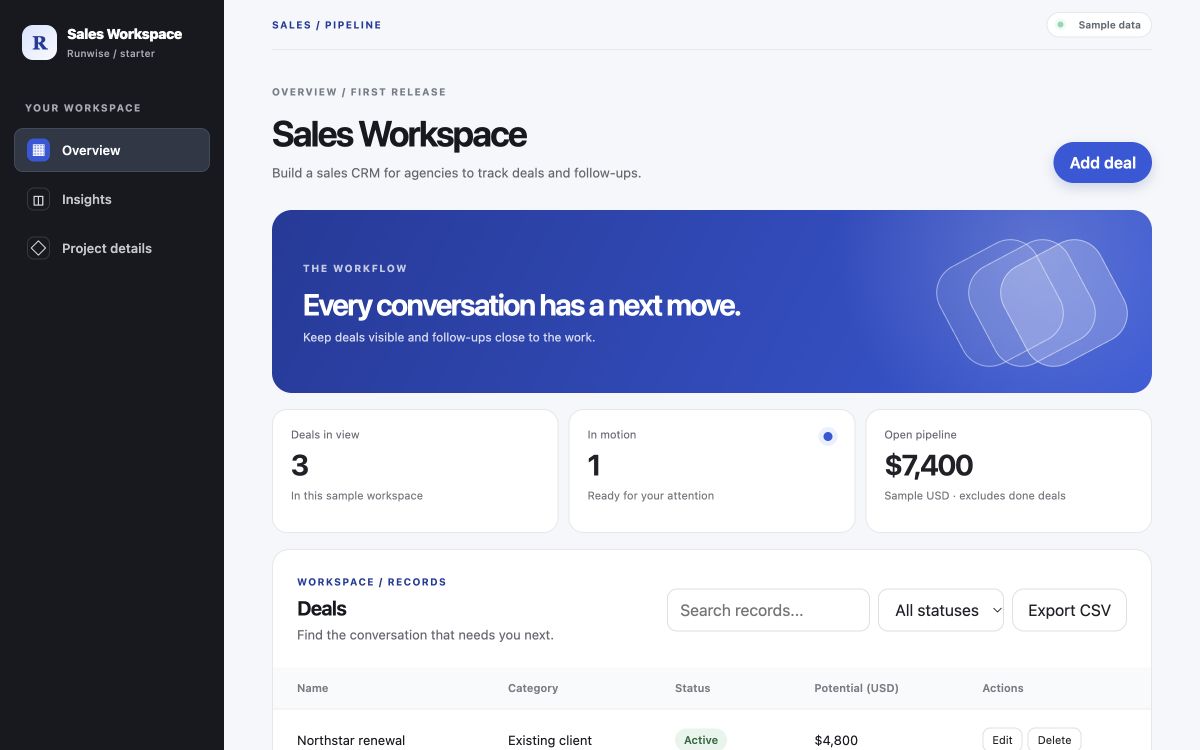
Turn your idea into an editable scope, a planning estimate, and a browser prototype.
01Editable scopeReorder, edit, defer
02Planning estimateCost and time, with assumptions
03Browser prototypeClick through a working draft
What happens after I start?
Your idea opens in Studio for review. Starter mode uses predefined app patterns, so check and edit its assumptions. Custom AI generation requires a connected provider. No account or payment to explore.
Editable scope
Acceptance criteria
Planning estimate
Browser prototype
Review brief
Source download
Client workspace
Editable scope
Acceptance criteria
Planning estimate
Browser prototype
Review brief
Source download
Client workspace
TAKE A CLOSER LOOK
See the idea take shape
See what a first-release plan looks like before you start. Explore the scope, the assumptions, and a working sample.
Every extra feature adds work. Compare a focused first release with a broader scope, then decide what can wait.
Illustrative examples at $85 USD/hour, one person, and a 30% planning allowance. Excludes hosting, external service fees and production hardening. These are assumptions to explore, not quotes.
RW / SCOPE LABINTERACTIVE EXAMPLE
Client portal
FIRST-RELEASE PLAN
What you get
Give your team a plan they can act on
Get specific about the user, the problem, and the first workflow. Then use the scope and prototype to challenge assumptions before a larger investment.
01 / ALIGN
One problem. One shared brief
Stop debating features before your team agrees who needs help and what better looks like.
The free worksheets and planning tools need no account or payment. Studio saves your draft in your browser and holds runs temporarily on its server. It shows whether an external AI service is connected before you start.
Do not share passwords, API keys, regulated data, or confidential customer records in any idea brief.
Create an editable scope, a planning estimate, and a browser prototype with downloadable source. Starter mode uses predefined app patterns; connected AI mode can generate custom scope and source. Production accounts, shared data, payments, and integrations need further engineering and review.
Can I change or export the scope?
Yes. Edit the stories, groups, roles, notes, estimates, and release assignments. Undo and redo scope changes. When you download a current prototype, its source ZIP includes the full scope and deferred stories.
Is the calculator a fixed quote?
No. The calculator compares illustrative scenarios using the features, rate, allowance, and team size you choose. A reviewed Runwise proposal sets the actual price and delivery terms.
What should I prepare before planning?
Tell us who needs the product, how they handle the problem today, who makes the buying decision, and what you want to improve. The discovery workbook helps you find the gaps.